Configuring the Kernel - CAN
Table of Contents
CAN support
CAN support will be needed for CARsenal usage.
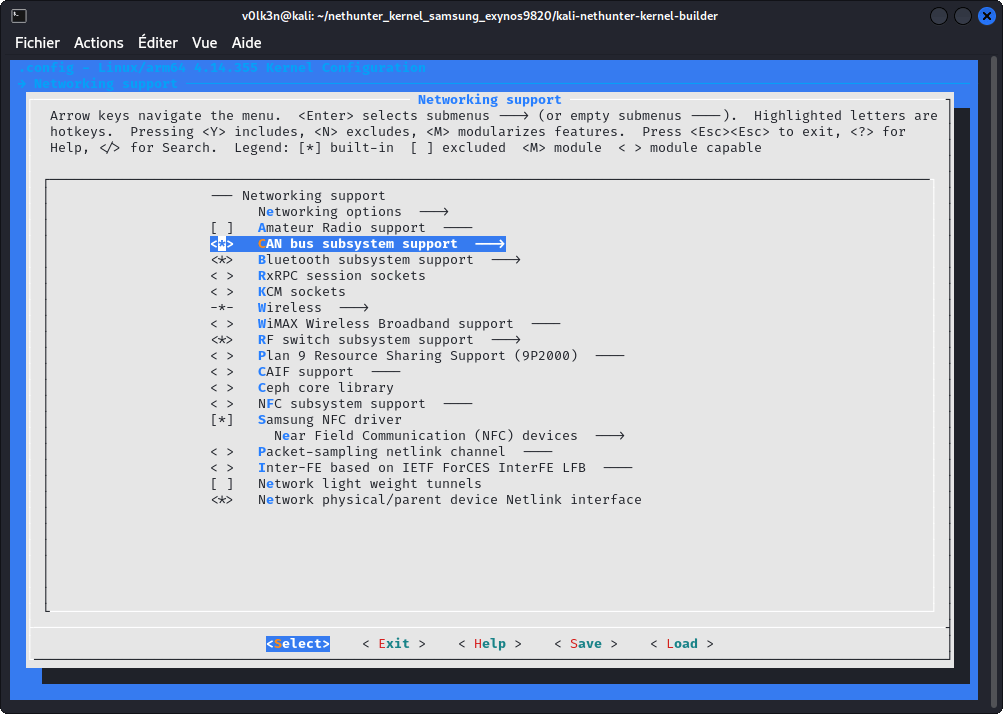
In section “Networking support”:
- Select “CAN bus subsystem support”
- Select “Network physical/parent device Netlink interface”
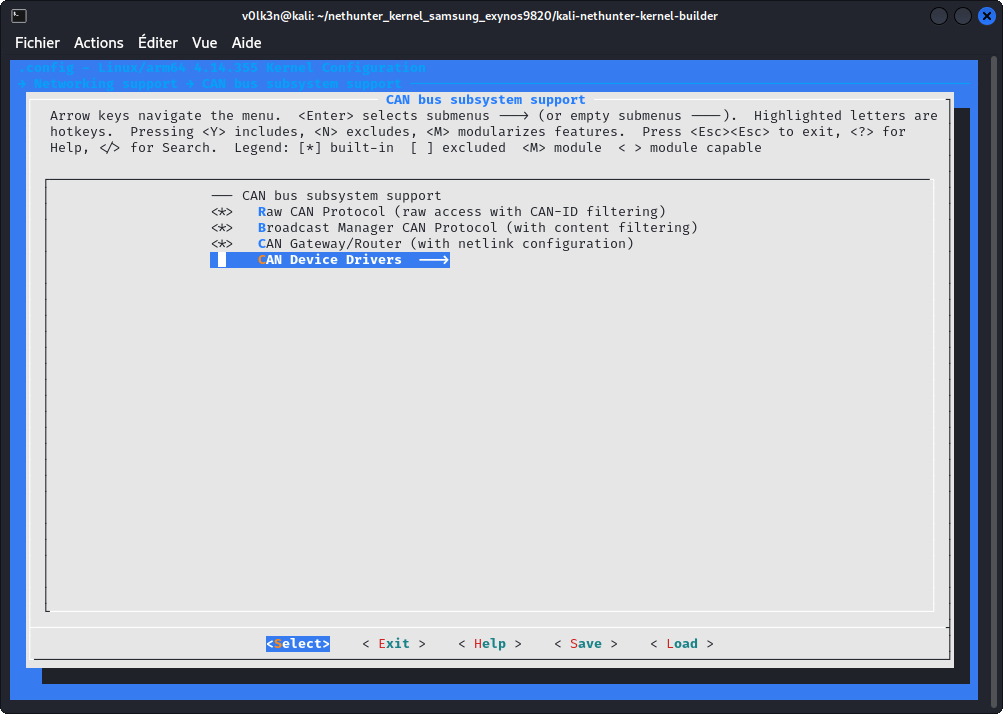
Under “CAN bus subsystem support —>”
- Select “Raw CAN Protocol (raw access with CAN-ID filtering)”
- Select “Broadcast Manager CAN Protocol (with content filtering)”
- Select “CAN Gateway/Router (with netlink configuration)”
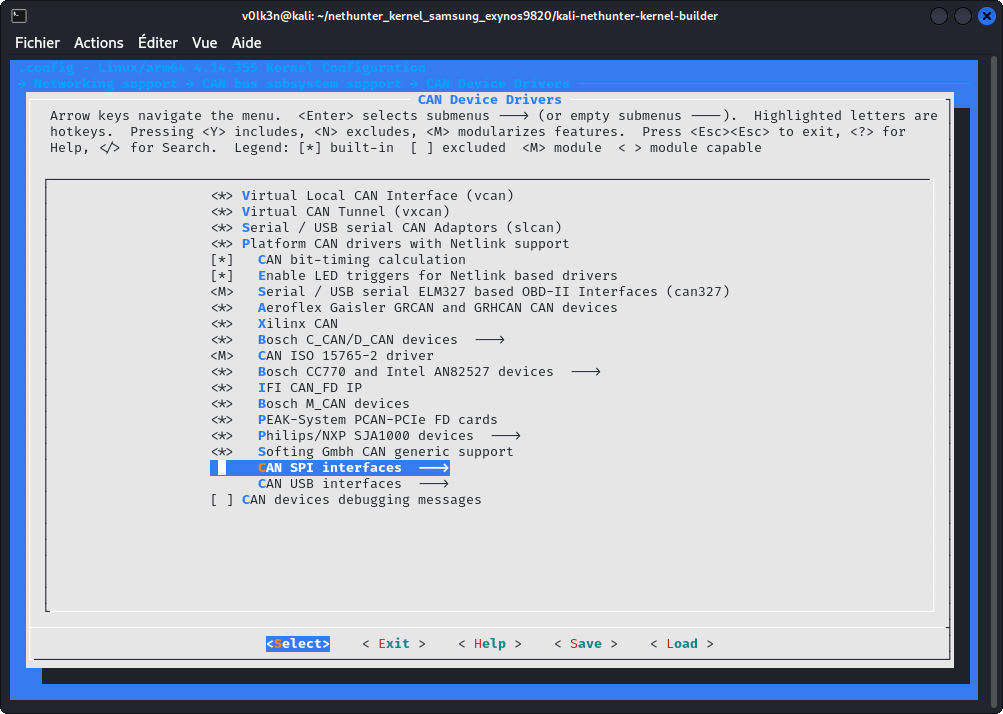
Under “CAN Device Drivers —>”
- Select “Virtual Local CAN Interface (vcan)”
- Select as Module (M) “Serial / USB serial CAN Adaptors (slcan)”
- Select “Platform CAN drivers with Netlink support”
- Select “CAN bit-timing calculation”
- Select “Enable LED triggers for Netlink based drivers”
Optionally you may also :
- Select “Aeroflex Gaisler GRCAN and GRHCAN CAN devices”
- Select “Xilinx CAN”
- Select “Bosch C_CAN/D_CAN devices”
- Select “Bosch CC770 and Intel AN82527 devices”
- Select “IFI CAN_FD IP”
- Select “Bosch M_CAN devices”
- Select “Philips/NXP SJA1000 devices”
- Select “Softing Gmbh CAN generic support”
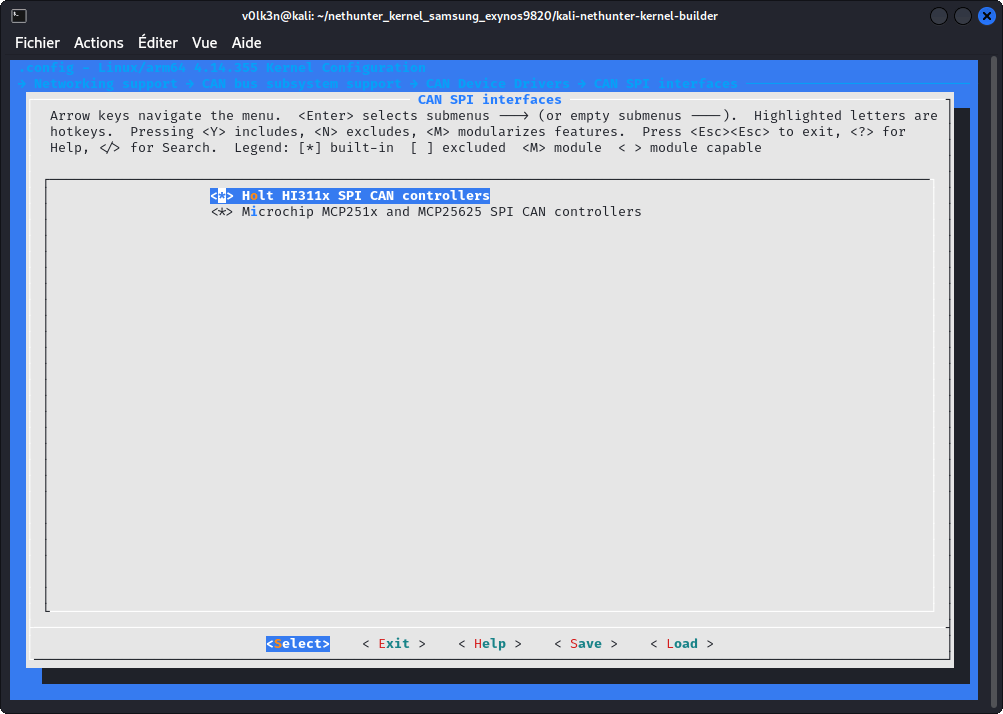
Under “CAN SPI interfaces —>”
- Select “Holt HI311x SPI CAN controllers”
- Select “Microchip MCP251x SPI CAN controllers”
Under “CAN USB interfaces —>”
- Select “EMS CPC-USB/ARM7 CAN/USB interface”
- Select “ESD USB/2 CAN/USB interface”
- Select “Geschwister Schneider UG interfaces”
- Select “Kvaser CAN/USB interface”
- Select “PEAK PCAN-USB/USB Pro interfaces for CAN 2.0b/CAN-FD”
- Select “8 devices USB2CAN interface”
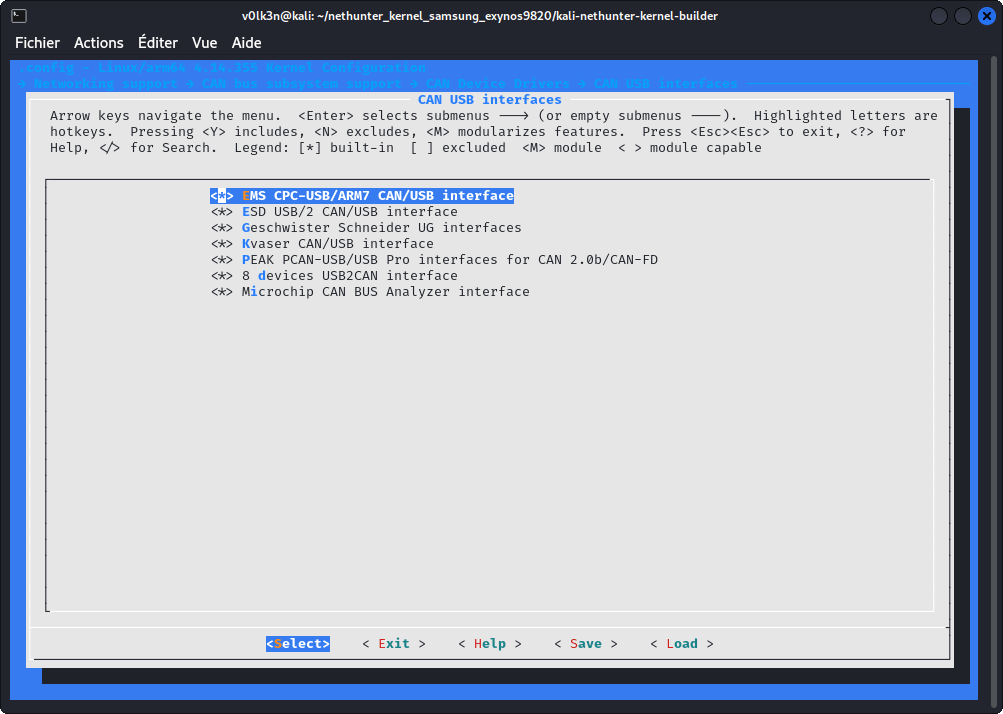
In Section “Networking Support”
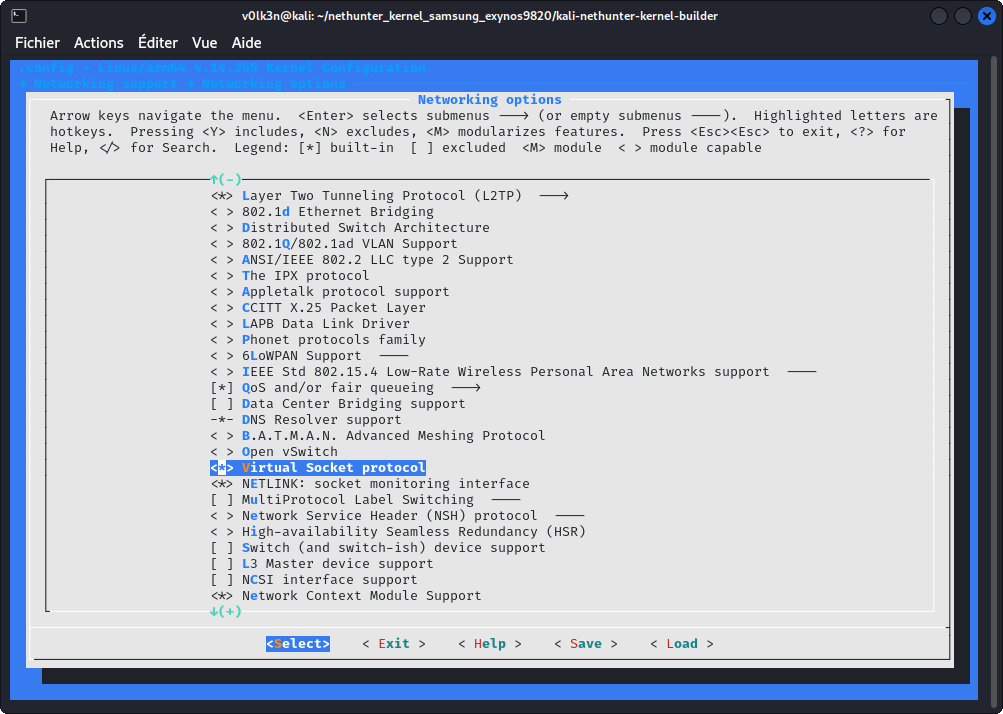
Under “Networking options”
- Select “Virtual Socket protocol”
- Select “NETLINK: socket monitoring interface”
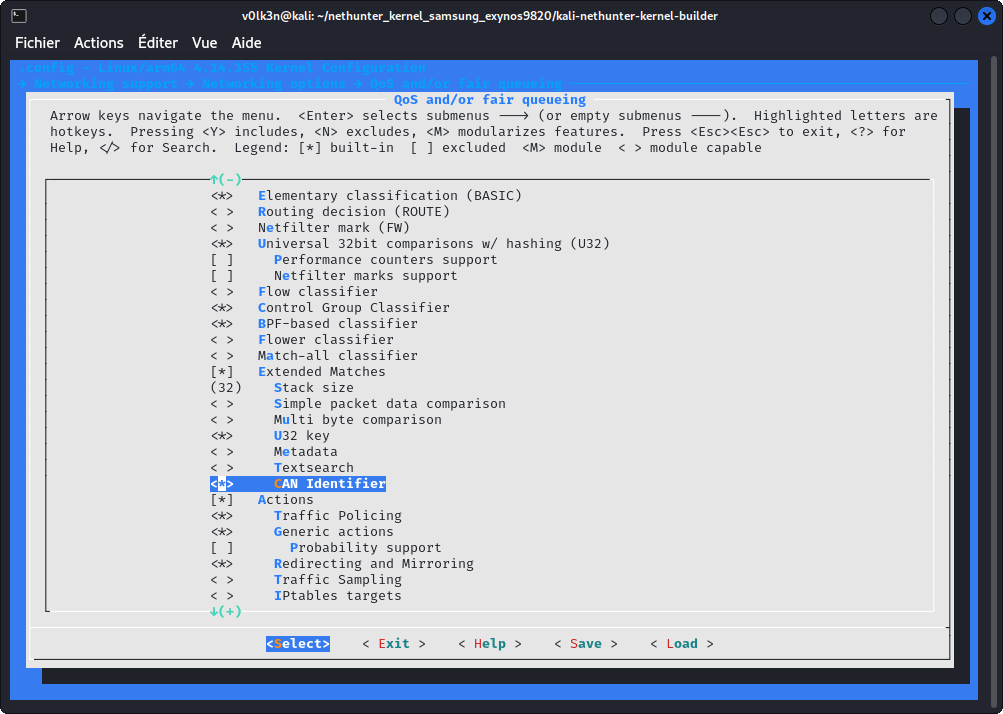
Under “QoS and/or fair queueing”
- Select “CAN Identifier”
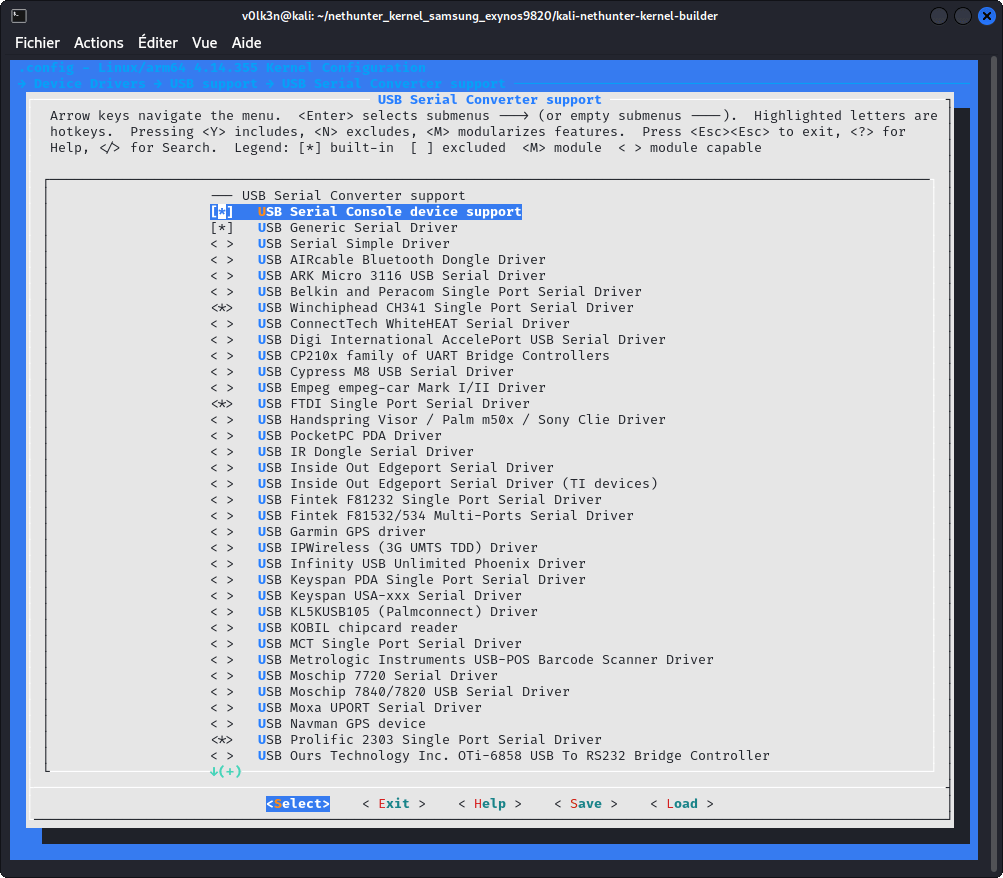
In section “Device Drivers —> USB support —> USB Serial Converter support —>” :
- Select “USB Serial Console device support”
- Select “USB Generic Serial Driver”
- Select “USB Winchiphead CH341 Single Port Serial Driver”
- Select “USB FTDI Single Port Serial Driver”
Hlcan driver
This would be used to get the chinese CAN Analyzer USB working with can-utils suite.
Go to your kernel sources folder and clone as submodule usb-can driver.
git submodule add https://github.com/V0lk3n/usb-can-2-module drivers/net/can/usb-can-2-module
Edit drivers/net/can/Kconfig and add the following line :
source "drivers/net/can/usb-can-2-module/Kconfig"
Edit drivers/net/can/Makefile and add the following line :
obj-y += usb-can-2-module/
In Section “Networking Support”
Under “CAN bus subsystem support —> CAN Device Drivers”
- Select as Module “hlcan module for usb-can”
ISO 15765-2 Driver CAN-ISOTP (Optional)
Go to your kernel sources folder and clone as submodule can-isotp driver.
git submodule add https://github.com/V0lk3n/can-isotp drivers/net/can/can-isotp
Download “isotp.h” to “include/uapi/linux/can”
cd include/uapi/linux/can
wget https://raw.githubusercontent.com/v0lk3n/can-isotp/refs/heads/master/include/uapi/linux/can/isotp.h
Edit drivers/net/can/Kconfig and add the following line :
source "drivers/net/can/can-isotp/Kconfig"
Edit drivers/net/can/Makefile and add the following line :
obj-y += can-isotp/
In Section “Networking Support”
Under “CAN bus subsystem support —> CAN Device Drivers”
- Select as Module “CAN ISO 15765-2 driver”
Save, Exit, then build!
Updated on: 2026-Mar-22
Author:
v0lk3n