Import Pre-Made Kali QEMU VM
Importing the Kali QEMU image with virt-manager is very straightforward.
We first need to extract the downloaded QEMU image:
kali@kali:~$ 7z x kali-linux-<VERSION>-qemu-amd64.7z
[...]
kali@kali:~$
This will extract the pre-built Kali .qcow2 disk image.
If virt-manager is not already installed, we can install it with:
kali@kali:~$ sudo apt update && sudo apt install virt-manager -y
[...]
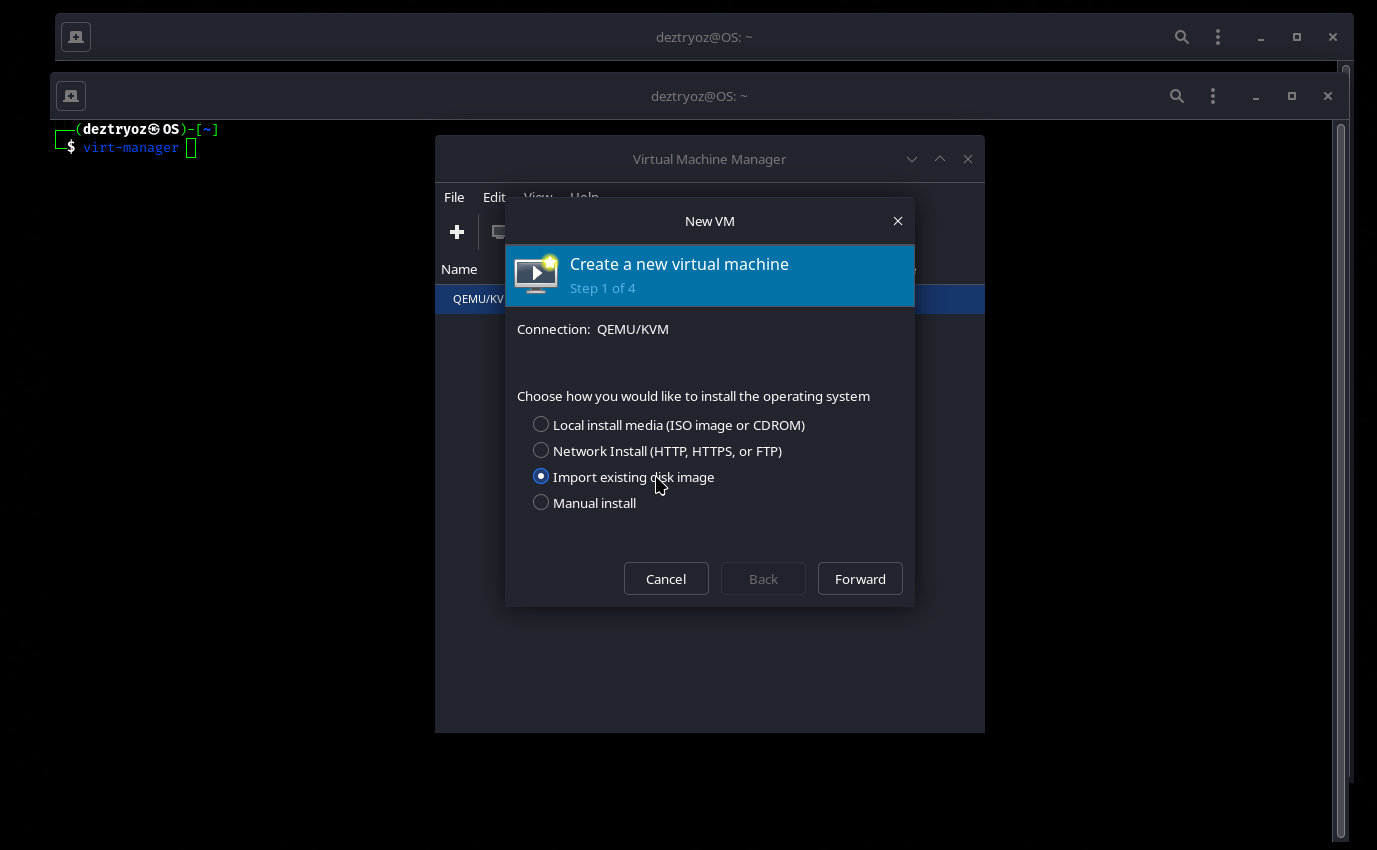
We then launch virt-manager and create a new virtual machine.
From here we select Import existing disk image:
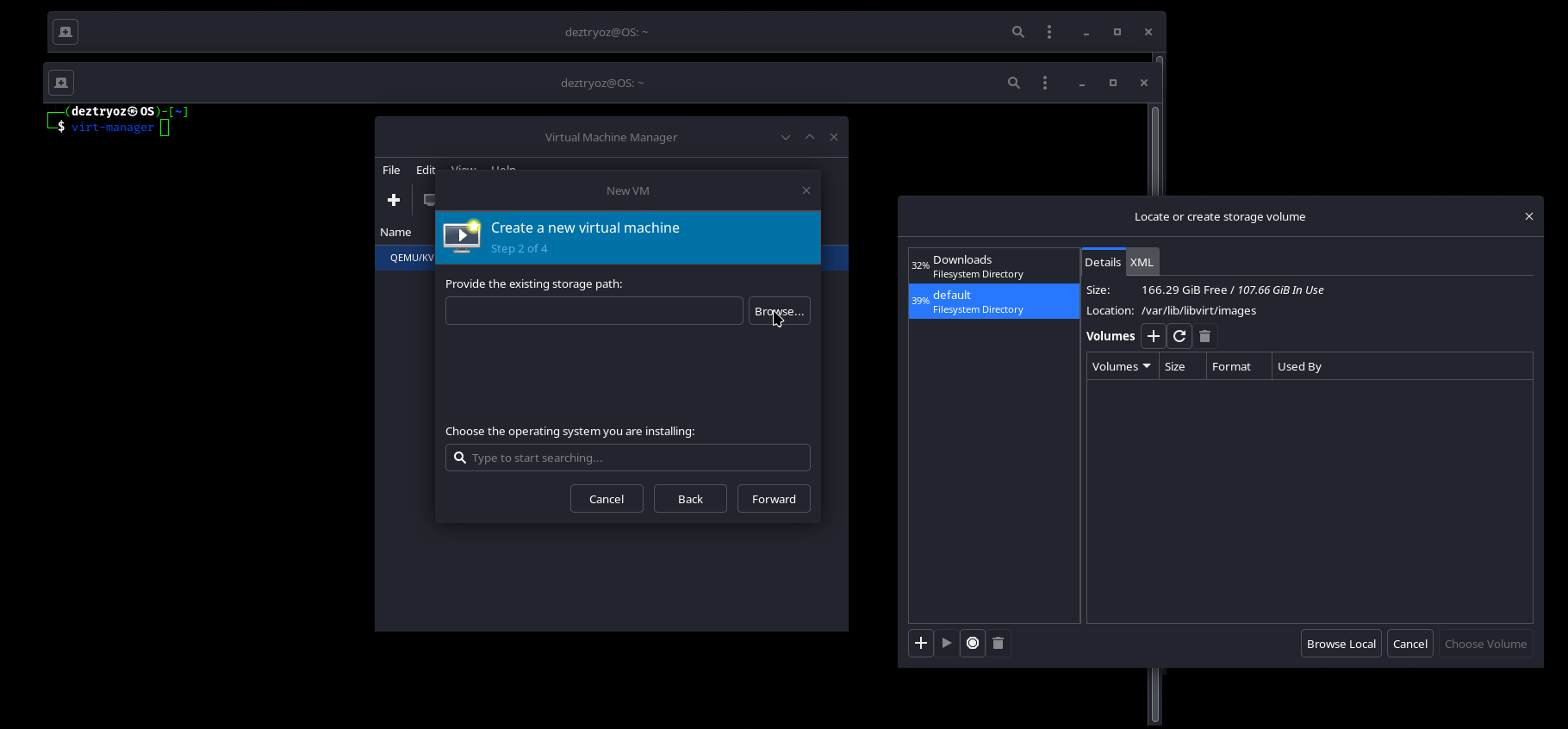
We then select the extracted Kali .qcow2 disk image:
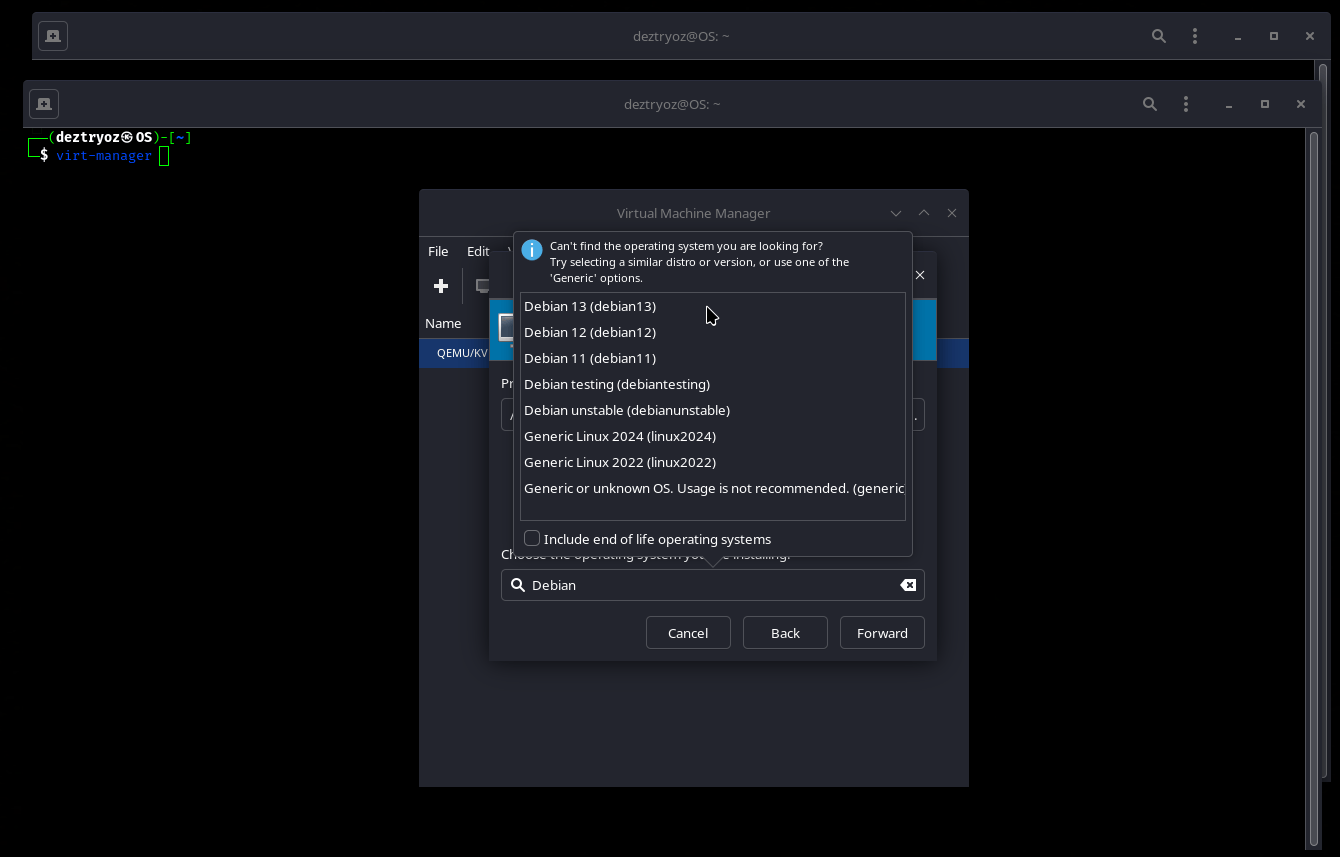
If virt-manager does not automatically detect the operating system, we disable automatic detection and manually select an appropriate Debian version:
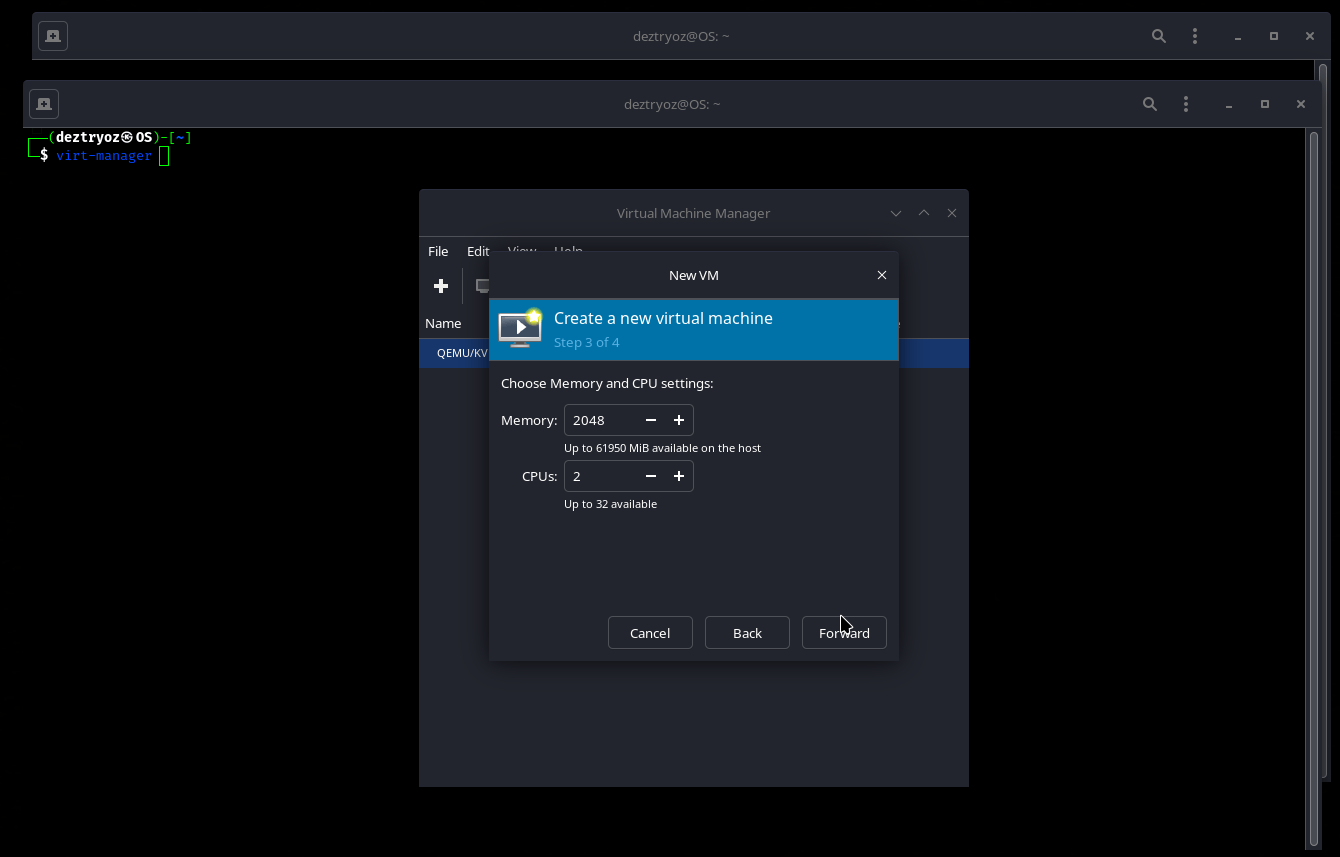
We can now configure the amount of memory and CPU cores assigned to the virtual machine. In this example, we use 2 GB of memory and 2 CPU cores:
We can now review the virtual machine configuration, change the VM name if needed, and make any additional changes before finishing the setup:
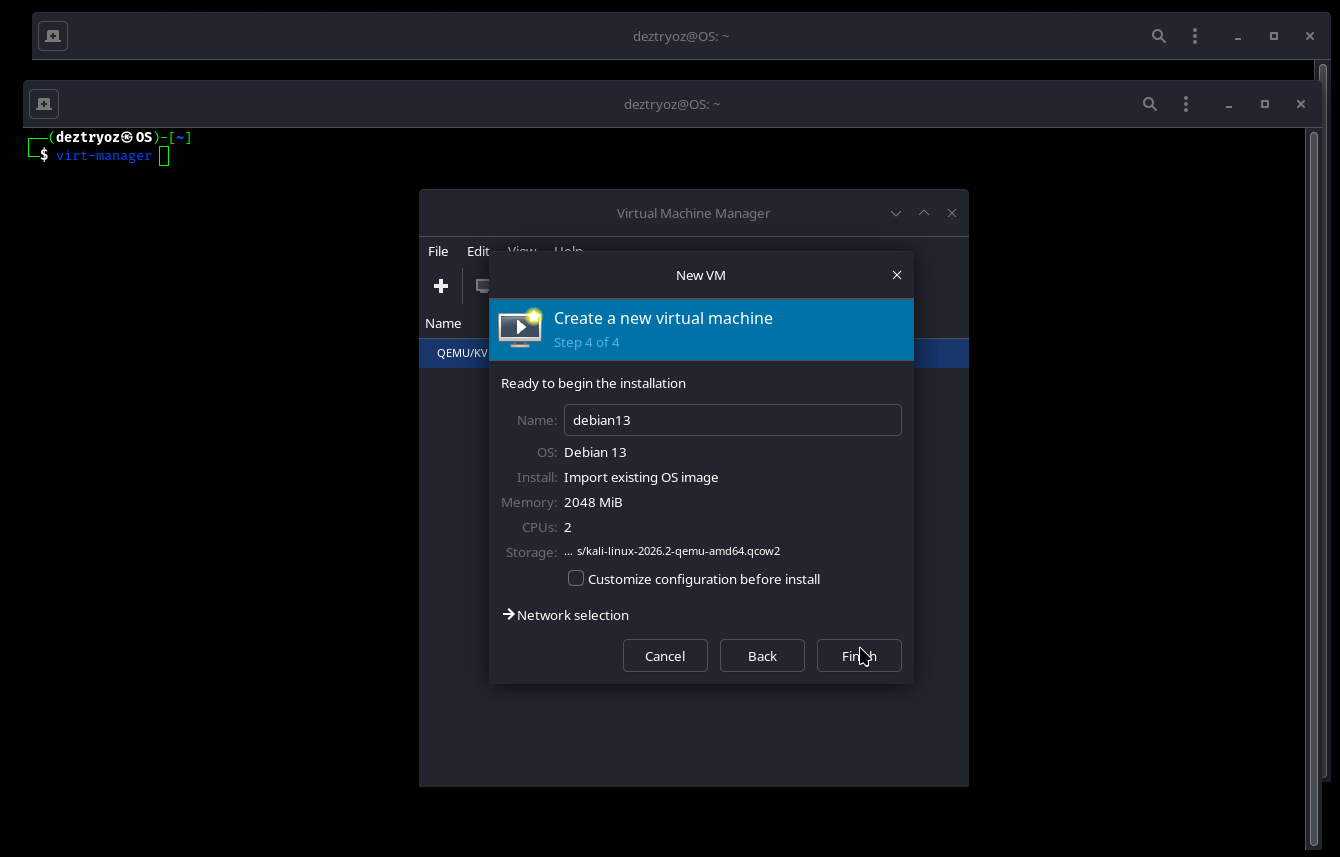
Once we are happy with the configuration, we finish creating the virtual machine and start it.
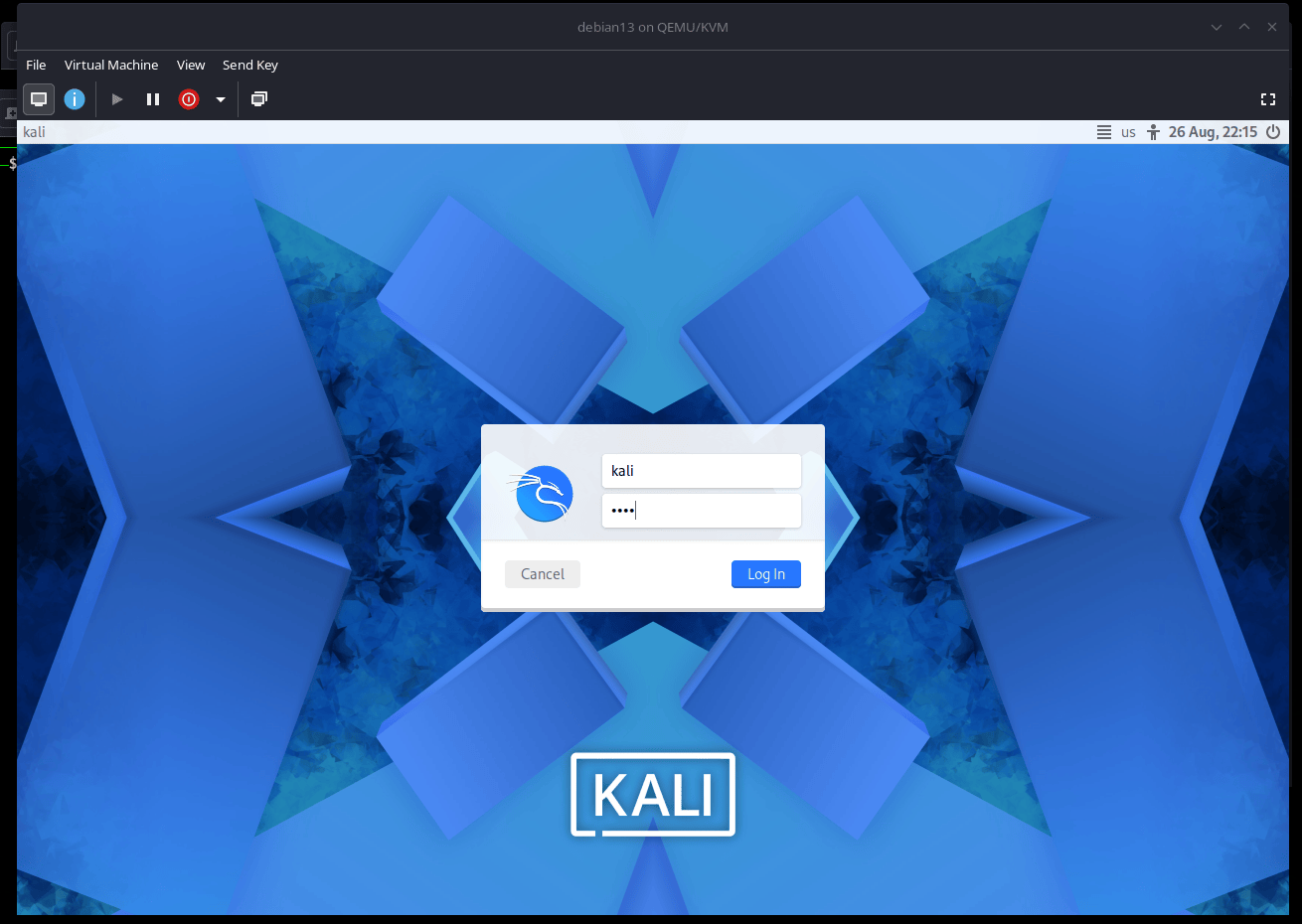
The pre-built Kali QEMU image should now boot normally. The default login is kali for the user and kali for the password.
Updated on: 2026-Aug-27
Author:
Deztryoz